
Know Which Rooms You Can Sell Right Now
One room board shows every room's status and cleaning state, and the housekeeping board moves rooms from dirty to cleaning to ready — so the desk never sells a room that isn't ready.
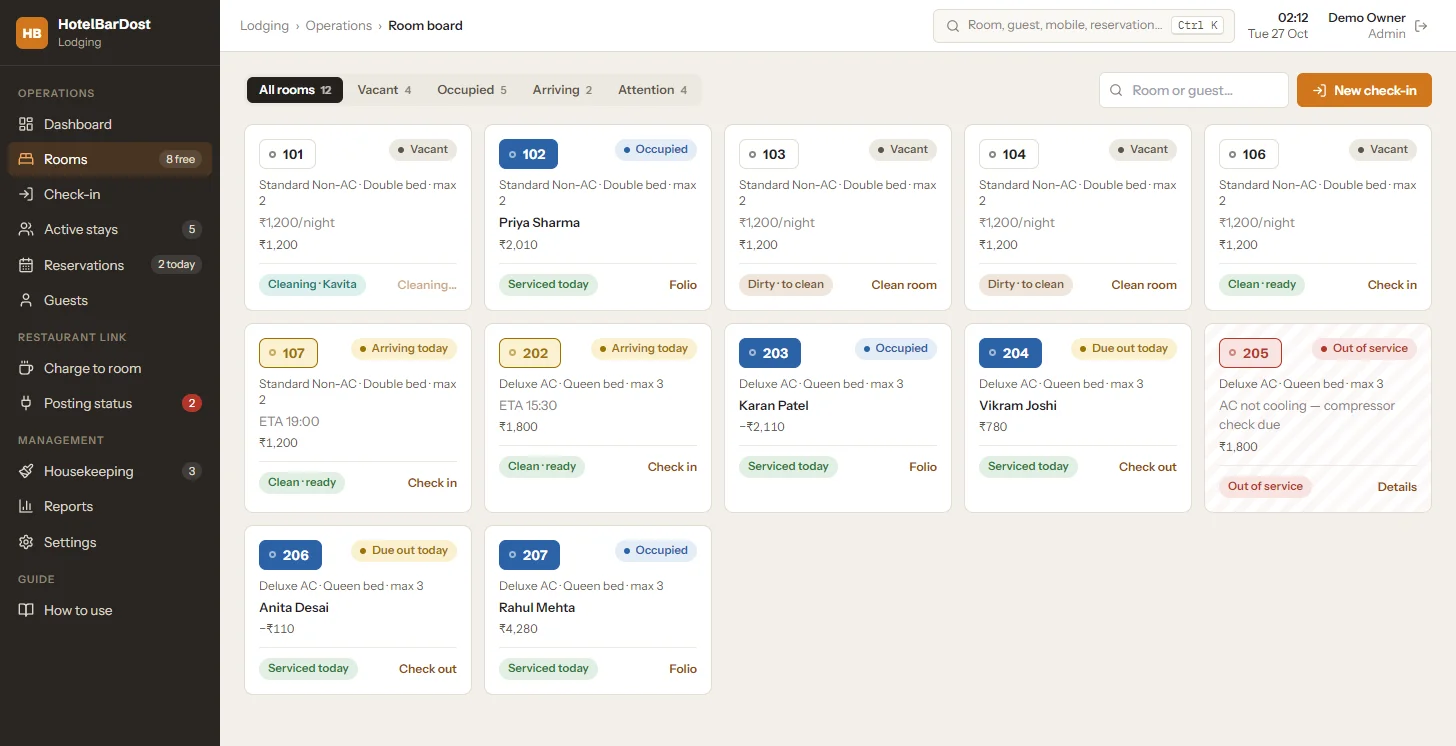
Vacant, occupied, arriving, due-out and out-of-service rooms
What does a hotel room status board do?
A room status board shows every room on one screen with its current state, so the front desk can see at a glance which rooms are free to sell. In HotelBarDost Lodging, each room card also shows its housekeeping state — dirty, cleaning or ready — and the housekeeping board tracks who is cleaning what.
- Room states
- Vacant, occupied, arriving, due-out, out of service
- Housekeeping
- Dirty → cleaning → ready, plus out of service
- Dashboard
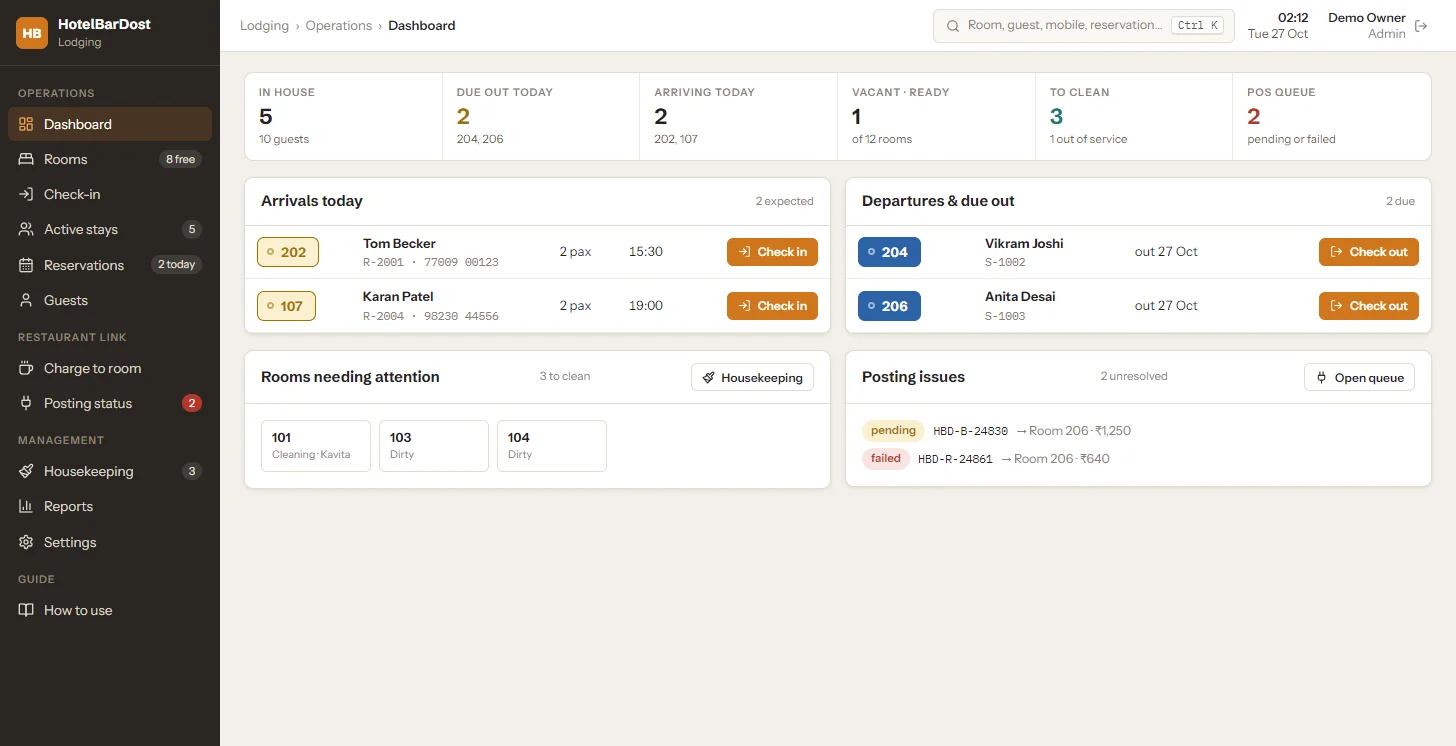
- In-house guests, arrivals, departures, rooms to clean
- Search
- Ctrl+K across rooms, guests, mobile numbers, reservations
- Night audit
- Opens stay-over cleaning tasks automatically
- Price
- ₹18,000 one-time · 7-day free trial
Without a live board, the desk asks housekeeping on the phone which rooms are ready, guests wait in the lobby, and a room under maintenance gets sold by mistake.
HotelBarDost Lodging puts every room on one board with its stay status and cleaning state. Checkout sends the room to housekeeping automatically; when staff mark it ready, the desk sees it instantly.
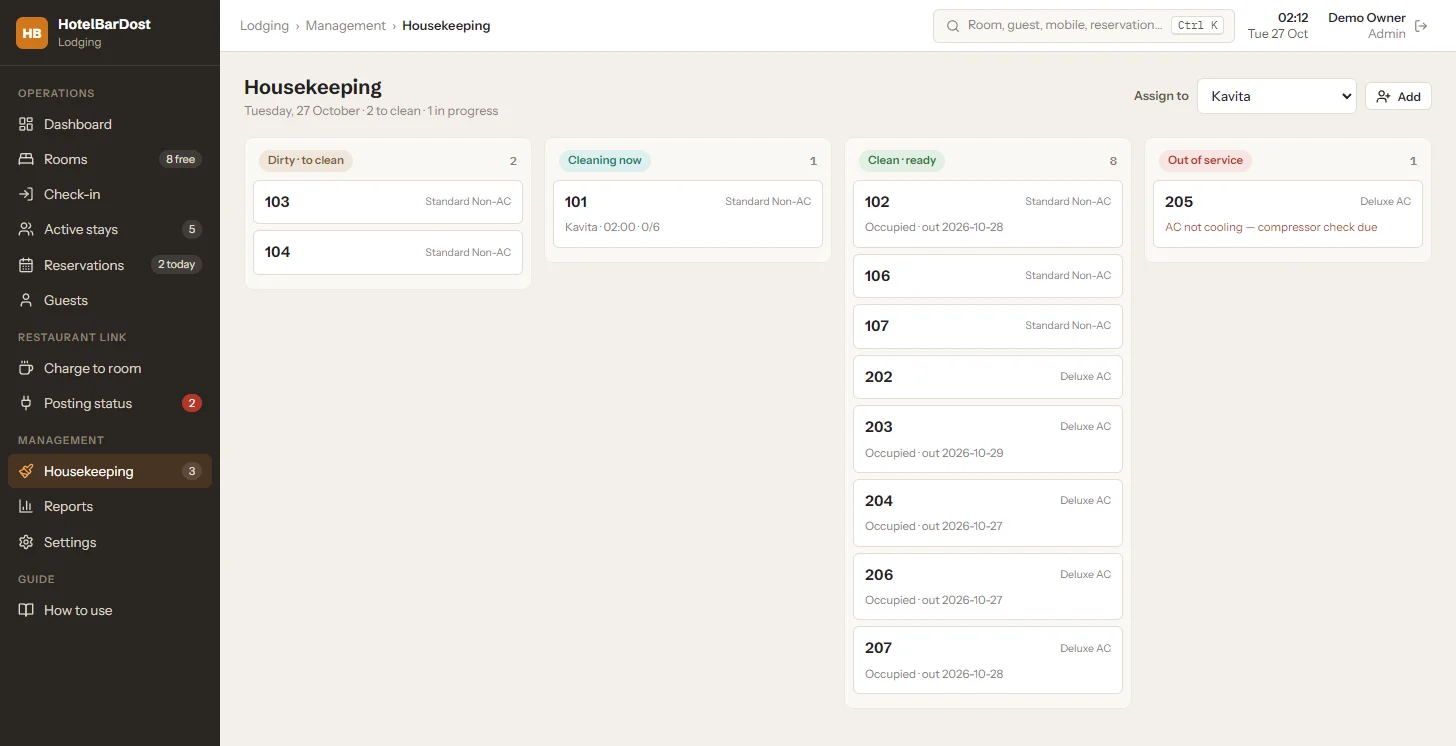
Step by step
A room's full day — from checkout to ready to sell again.
The guest checks out — the room moves to housekeeping as dirty.
Assign the room to a housekeeper with a cleaning checklist.
Staff move it to cleaning, then ready — the room board updates instantly.
The desk sees the room as vacant and ready, and sells it.
Room board, dashboard and housekeeping
Everything the desk and the housekeeping team need to keep rooms moving.
What it does not do
We state the limits plainly, so you know exactly what you are buying.
- No housekeeping mobile app — the board runs on the PC
- One property per installation — no multi-property central dashboard
- No channel manager — room availability is not pushed to booking sites
- Screens are in English today
Sell more rooms, sooner
When the desk can see which rooms are ready, guests are checked in faster and rooms out of service are never sold by mistake.
- Rooms back on sale as soon as they are cleaned
- Clear cleaning assignments for housekeeping staff
- Out-of-service rooms blocked with a reason
- The day at a glance on the dashboard
Frequently asked questions
Common questions about room board & housekeeping in HotelBarDost Lodging.
Checkout moves a room to dirty, and the night audit opens stay-over cleaning tasks automatically. Rooms can be assigned to housekeeping staff with a cleaning checklist.
Yes. Mark a room out of service with a reason and maintenance notes; it shows on both the room board and the housekeeping board until it is returned.
Yes. Lodging has Admin, Manager, Reception and Housekeeping roles with an editable permission matrix and PIN sign-in.
No. The room board, housekeeping and every other screen run on your own Windows PC without internet.
Still have questions?
We're happy to walk you through HotelBarDost Lodging with your own rooms and tariffs.
- No credit card required
- 7-day free trial
- Marathi & English support
Read more on this topic
More Lodging features
See every room at a glance
Free trial or a live demo — we'll set up your rooms and show the board in action.
- No credit card required
- 7-day free trial
- Marathi & English support